
The Laos eVisa requires a recent colour photograph measuring 4×6 cm with a white background, taken within the last six months. Your photo is one of the most common reasons for eVisa rejection, so getting it right the first time saves you time and money. This guide covers every specification, common mistakes, and practical tips to ensure your photo is accepted.
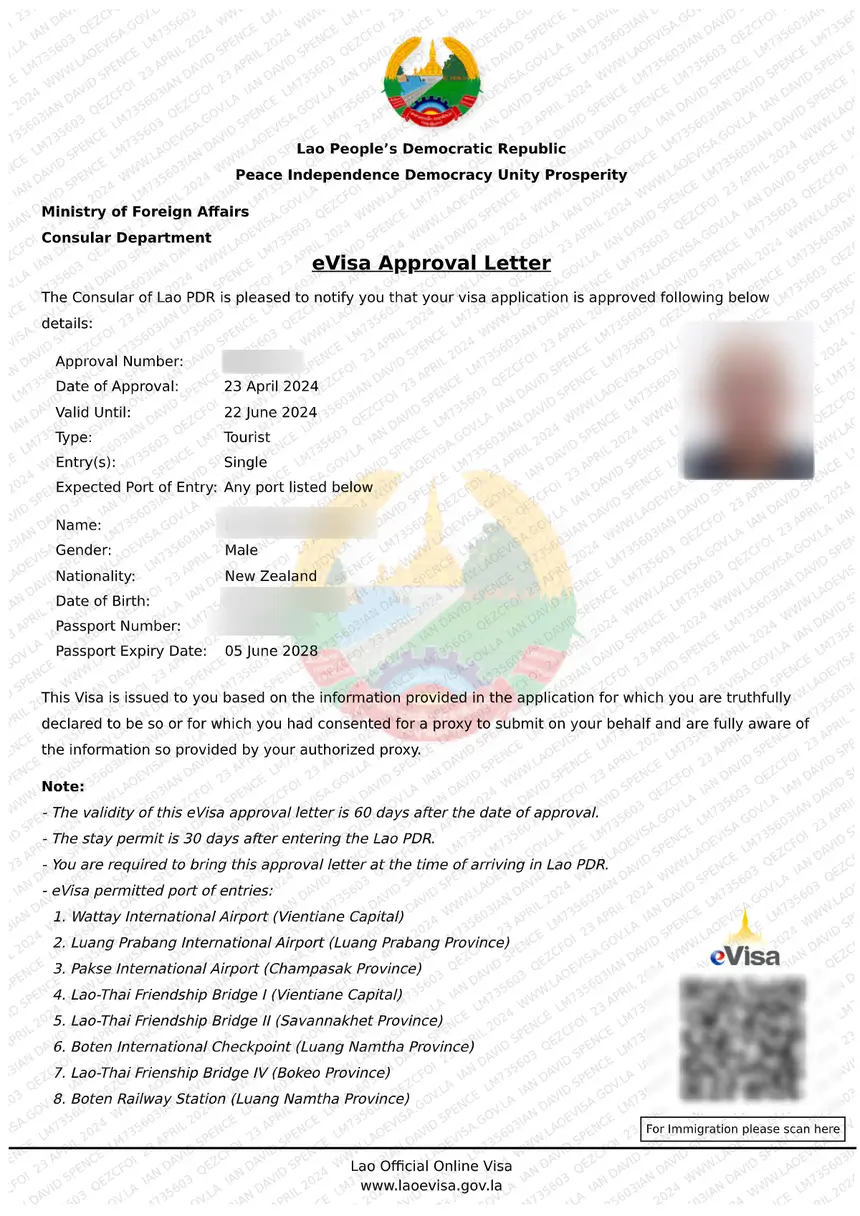
For a complete overview of all required documents, see our Laos eVisa documents checklist.
Laos eVisa Photo Specifications
The official eVisa portal (laoevisa.gov.la) enforces strict photo standards. Every uploaded photo must meet these requirements:
| Specification | Requirement |
|---|---|
| Size | 4 cm wide x 6 cm tall (40×60 mm) |
| Colour | Full colour – no black and white |
| Background | Plain white, no patterns or shadows |
| Recency | Taken within the last 6 months |
| Format | JPEG or JPG file |
| File size | Maximum 2 MB |
| Resolution | Minimum 600×800 pixels recommended |
| Head coverage | None – no hats, caps, or head coverings (religious exemptions apply) |
| Glasses | Remove if possible; if worn, no tinted lenses and no glare |
| Expression | Neutral or slight natural smile, mouth closed |
| Face position | Centred, facing directly at camera, both ears visible |
These requirements apply equally to the eVisa online application and the visa on arrival process at airports and land borders.
Photo Dimensions and Format Details
Understanding the exact dimensions helps you avoid rejections caused by incorrect cropping.
Size in Different Units
| Unit | Width | Height |
|---|---|---|
| Centimetres | 4 cm | 6 cm |
| Millimetres | 40 mm | 60 mm |
| Inches | 1.57 in | 2.36 in |
| Pixels (300 DPI) | 472 px | 709 px |
The 4×6 cm size is slightly taller than a standard passport photo (3.5×4.5 cm). If you already have passport photos, they may need to be re-taken or re-cropped to match the 4×6 specification.
File Format Requirements
- Accepted formats: JPEG (.jpg or .jpeg)
- Maximum file size: 2 MB
- Minimum recommended resolution: 600×800 pixels
- Colour space: sRGB
- No PDF, PNG, or TIFF files are accepted on the eVisa portal
If your photo file is too large, you can compress it using free online tools without significantly reducing quality. Keep the compression mild – an overly compressed image appears pixelated and may be rejected.
How to Take a Compliant Photo
You do not need a professional photographer. A smartphone camera works well if you follow these steps:
Step-by-Step Photo Guide
- Stand or sit against a plain white wall with no shadows
- Position the camera at eye level, approximately 1.5 metres away
- Ensure even lighting from the front – avoid harsh side lighting or flash shadows
- Face the camera directly with a neutral expression
- Keep both eyes open and visible
- Remove glasses if possible; if not, tilt slightly to avoid glare
- Crop the image to 4×6 cm, with your face taking up 70-80% of the frame
- Save as JPEG, ensuring the file is under 2 MB
Where to Get Photos Taken
- Photo studios – Available in most cities worldwide; tell them you need a 4×6 cm photo for a Laos visa
- Self-service photo booths – Often found in shopping centres, train stations, and airports; select “passport photo” and crop to 4×6
- Smartphone apps – Free apps like Passport Photo Maker or ID Photo can crop and format your photo to exact specifications
- Online services – Websites where you upload a selfie and receive a formatted, compliant photo by email
Common Photo Mistakes That Cause Rejection
Photo-related issues are the number one reason for Laos eVisa application delays. Avoid these frequent errors:
| Mistake | Why It Causes Rejection |
|---|---|
| Wrong background colour | Off-white, cream, grey, or patterned backgrounds are not accepted |
| Wearing sunglasses or tinted glasses | Eyes must be fully visible for identification |
| Photo is blurry or low resolution | Immigration officers cannot verify your identity |
| Face is partially covered by hair | Forehead, both eyes, and both ears must be visible |
| Using a selfie | Selfies often have distorted angles from the front-facing camera |
| Photo is too old | Must reflect your current appearance (within 6 months) |
| Incorrect dimensions | Photos that are not 4×6 cm may be cropped incorrectly by the system |
| Wearing a hat or cap | Head coverings are not permitted unless for religious reasons |
| Shadows on face or background | Uneven lighting creates shadows that obscure facial features |
| Smiling too broadly or frowning | Neutral expression or gentle closed-mouth smile is required |
| Photo has red-eye | Red-eye from flash must be edited out before uploading |
| Digital filters or heavy editing | Photos must look natural – no beauty filters, colour effects, or airbrushing |
Photo Requirements for Visa on Arrival
If you are applying for a Laos visa on arrival instead of an eVisa, the same photo specifications apply. However, there are practical differences:
- You must bring physical printed photos (typically 2 copies)
- Photo booths are sometimes available at major airports like Wattay International, but availability is not guaranteed
- Border crossings at land borders do not have photo services – bring photos with you
- The same 4×6 cm, colour, white background requirements apply
For a comparison of both visa routes, read our guide on eVisa vs visa on arrival.
Photo Requirements by Nationality
The photo specifications are the same regardless of your nationality. Whether you are applying from the United States, India, the United Kingdom, or any other eligible country, the 4×6 cm format with white background applies universally.
However, some nationalities face higher scrutiny during the review process. If your country has a higher eVisa rejection rate, ensuring your photo is perfect becomes even more important. Check our guide on why Laos eVisa applications get rejected for more details.
Photo for Children and Infants
Children and infants applying for a Laos eVisa need their own photo that meets the same specifications:
- The child must be the only person in the photo
- For babies, lay them on a white sheet and photograph from directly above
- The child’s eyes should be open (this can be challenging for newborns)
- No toys, bottles, or other objects should be visible
- For toddlers, a white wall background works best
- Children should not be held by a parent in the photo
Children of all ages require their own eVisa, even if they are listed on a parent’s passport.
Digital Photo Upload Tips
When uploading your photo to the Laos eVisa portal at laoevisa.gov.la, keep these tips in mind:
- Use a desktop or laptop computer for easier file management
- Name your photo file simply (e.g., “photo.jpg”) – avoid special characters in filenames
- Ensure a stable internet connection during upload to prevent corruption
- Preview the uploaded photo before submitting your application
- If the upload fails, reduce the file size slightly and retry
- Do not screenshot or re-photograph an existing photo – this reduces quality significantly
How to Check If Your Photo Will Be Accepted
Before submitting your eVisa application, verify your photo against this checklist:
- [ ] Size is 4 cm x 6 cm (40×60 mm)
- [ ] Full colour, not black and white
- [ ] Plain white background with no shadows
- [ ] Taken within the last 6 months
- [ ] JPEG format, under 2 MB
- [ ] Face centred and facing directly at camera
- [ ] Both eyes open and visible
- [ ] No glasses, or glasses with clear lenses and no glare
- [ ] No hats or head coverings (religious exemptions excepted)
- [ ] Neutral or slight natural smile
- [ ] Image is sharp and in focus
- [ ] No red-eye, filters, or heavy editing
Frequently Asked Questions
What size photo do I need for a Laos eVisa?
You need a photo measuring 4 cm wide by 6 cm tall (40×60 mm). This is slightly larger than a standard passport photo. The image should be in JPEG format and no larger than 2 MB.
Can I wear glasses in my Laos visa photo?
It is recommended to remove glasses entirely. If you must wear them, ensure the lenses are clear (not tinted) and there is no glare from flash or lighting. Your eyes must be fully visible through the lenses.
Can I use a selfie for my Laos eVisa photo?
Selfies are not recommended. The front-facing camera on smartphones creates a slight wide-angle distortion that can make your face appear different from your actual appearance. Use the rear camera with someone else taking the photo, or visit a photo studio.
What background colour is required for a Laos visa photo?
The background must be plain white. Off-white, cream, light grey, or any patterned background will not be accepted. Ensure there are no shadows on the wall behind you.
How recent must my Laos eVisa photo be?
The photo must have been taken within the last six months. It should reflect your current appearance. If your look has changed significantly (new hairstyle, weight change, new glasses), take a fresh photo.
What file format does the Laos eVisa portal accept?
Only JPEG (.jpg or .jpeg) files are accepted. PNG, PDF, TIFF, and other formats will not upload. Ensure the file extension matches the actual file type.
Can I wear a religious head covering in my photo?
Yes, religious head coverings are permitted. However, your face must be fully visible from the bottom of your chin to the top of your forehead, and both ears should be visible where possible. The covering must not cast shadows on your face.
What happens if my photo is rejected?
If your photo does not meet the specifications, your eVisa application will be delayed or rejected. You will need to resubmit with a compliant photo. This does not count as a formal rejection, but it extends your processing time beyond the standard 3-5 working days.
Do I need printed photos for a Laos eVisa?
No. The eVisa application is entirely online, so you only need a digital JPEG file. However, if you are applying for a visa on arrival, you will need 2 physical printed photos measuring 4×6 cm.
Are the photo requirements different for visa on arrival?
No, the specifications are identical: 4×6 cm, colour, white background, recent. The only difference is that visa on arrival requires physical printed photos, while the eVisa requires a digital JPEG upload.