

Laos LDIF Digital Form: How to Complete the Arrival Card Online
The Laos LDIF (Laos Digital Immigration Form) is a mandatory online arrival card that all foreign travelers must complete at least 3 days before entering Laos. Introduced to modernize the immigration process, the LDIF replaces the traditional paper arrival/departure card and must be submitted electronically through the official portal before your trip.
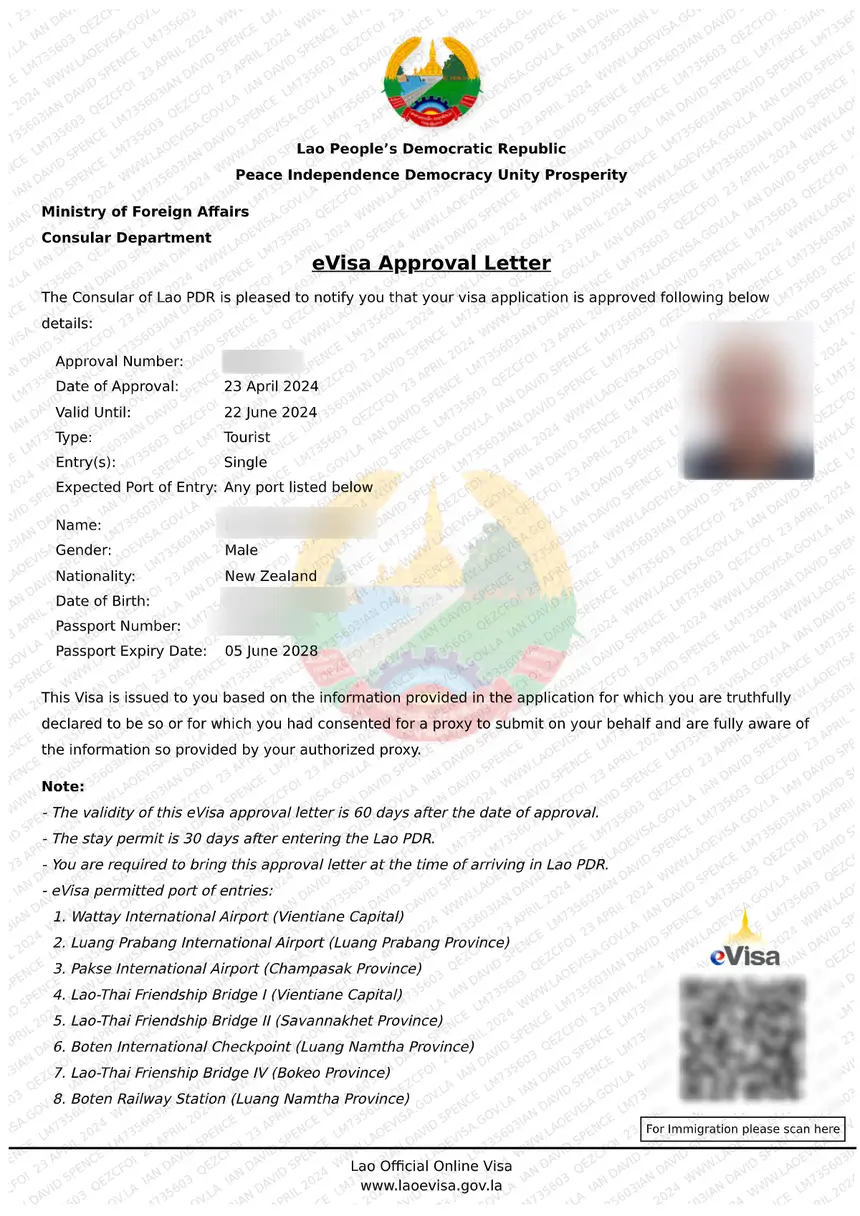
This guide walks you through every step of the LDIF form, explains who needs to fill it out, and answers the most common questions travelers have about this relatively new requirement.
What Is the Laos LDIF Form?
The LDIF stands for Laos Digital Immigration Form. It is an electronic arrival and departure card that collects your personal information, travel details, and accommodation plans before you enter Laos. The Lao government introduced the LDIF to streamline immigration processing at airports and land border crossings.
Unlike the old paper cards handed out on planes or at immigration counters, the LDIF must be completed online in advance. This means you cannot fill it out at the border – you must submit it before departure.
Key facts about the LDIF:
- Mandatory for all foreign visitors – including tourists, business travelers, and transit passengers
- Must be submitted at least 3 days before arrival – late submissions may cause delays or denial of entry
- Free to complete – there is no fee for the LDIF form itself
- Accessible online – available through the official Laos immigration portal
- Linked to your passport – the form requires your passport number and travel details
For a full overview of everything you need before traveling, see our Laos entry requirements guide.
Who Needs to Fill Out the LDIF Form?
Every foreign national entering Laos must complete the LDIF form, regardless of visa type or nationality. This includes:
- Tourist visa holders (including eVisa)
- Visa on arrival applicants
- Business visa holders
- Transit visa holders
- Travelers from visa-exempt countries (ASEAN nationals with 30-day visa-free entry)
- Diplomatic and official passport holders (in most cases)
The only exceptions are Lao citizens returning to Laos and certain accredited diplomats with specific bilateral agreements. If you hold a foreign passport and plan to enter Laos, assume you need to complete the LDIF.
If you are still deciding between an eVisa and visa on arrival, our Laos eVisa vs Visa on Arrival comparison explains the differences.
When to Complete the LDIF Form
You must submit the LDIF form at least 3 days (72 hours) before your scheduled arrival in Laos. The system processes submissions in advance, and immigration officers verify your LDIF status at the port of entry.
Recommended timeline:
| When to Submit | Status |
|---|---|
| 7+ days before arrival | Ideal – allows time to fix any errors |
| 3-7 days before arrival | Required minimum – meets the 3-day rule |
| Less than 3 days | May be rejected or cause immigration delays |
| At the border | Not accepted – the form must be completed online |
If your travel plans change after submitting the LDIF (different flight, different entry date), you may need to resubmit the form with updated details. Always check your confirmation email for instructions on amendments.
Step-by-Step: How to Fill Out the LDIF Form
Completing the LDIF form takes approximately 10-15 minutes. Have your passport and flight details ready before starting.
Step 1: Access the Official LDIF Portal
Navigate to the official Laos Digital Immigration Form website. Make sure you are on the legitimate government portal – avoid third-party sites that may charge unnecessary fees.
Step 2: Select Your Language
The form is available in English and Lao. Select your preferred language from the dropdown menu at the top of the page.
Step 3: Enter Personal Information
You will need to provide:
- Full name – exactly as it appears on your passport (including middle names if listed)
- Date of birth – in DD/MM/YYYY format
- Gender – male or female
- Nationality – your citizenship country
- Passport number – the alphanumeric code on your passport’s bio page
- Passport expiry date – your passport must be valid for at least 6 months beyond your entry date
Make sure every field matches your passport exactly. Even small discrepancies (abbreviated middle names, incorrect date format) can cause processing issues.
Step 4: Enter Travel Details
This section asks about your trip:
- Purpose of visit – tourism, business, transit, official, or other
- Flight number – your inbound flight to Laos (or transport details for land crossings)
- Date of arrival – your expected entry date into Laos
- Port of entry – the airport or land border crossing you will use (e.g., Wattay International Airport, Luang Prabang International Airport, or a land border checkpoint)
- Visa type – eVisa, visa on arrival, visa-exempt, or existing visa
If you are entering through a land border, check our Laos visa on arrival land borders guide for the list of eligible crossings.
Step 5: Enter Accommodation Details
You must provide your accommodation information for the first night in Laos:
- Hotel or accommodation name – the full name of your hotel, guesthouse, or host’s residence
- Address – the full address including city/province
- Phone number – the accommodation’s contact number (if available)
If you are staying with friends or family, enter their residential address. If you have not yet booked accommodation, you can enter a tentative hotel name – but make sure it is a real, verifiable place.
Step 6: Upload Your Passport Photo
The form requires a digital copy of your passport’s bio page (the page with your photo and personal details). Upload requirements:
- Format: JPEG or PNG
- File size: typically under 2MB
- Quality: clear, legible, and not blurry
Make sure the scan or photo captures the entire bio page with all text readable.
Step 7: Review and Submit
Before submitting, double-check every field against your passport and travel documents. Common errors that cause delays:
- Misspelled name or wrong passport number
- Incorrect arrival date or flight number
- Mismatched accommodation details
Once you are confident all information is correct, submit the form. You will receive a confirmation email with a reference number. Save this number – you may need to show it at immigration.
Step 8: Save Your Confirmation
After submission, you will receive:
- Confirmation email with a reference/confirmation number
- QR code or barcode (depending on the portal version) – print or save to your phone
- Submission receipt – a summary of your entered details
Print the confirmation or save a screenshot on your phone. Immigration officers may ask to see your LDIF confirmation at the port of entry.
LDIF Form vs Paper Arrival Card
The LDIF replaced the traditional paper arrival/departure card that airlines used to distribute on flights. Here is how they compare:
| Feature | LDIF (Digital) | Paper Arrival Card |
|---|---|---|
| When to complete | 3+ days before arrival | On the plane or at immigration |
| Format | Online form | Physical paper |
| Required in advance | Yes | No |
| Processing speed | Pre-verified, faster entry | Manual check, slower |
| Still accepted? | Required | No longer used at most ports |
| Fee | Free | Free |
Common LDIF Mistakes to Avoid
Travelers frequently encounter issues with the LDIF form. Here are the most common mistakes and how to avoid them:
-
Submitting less than 3 days before arrival – The system enforces the 3-day minimum. Plan ahead and complete the form as soon as your travel dates are confirmed.
-
Passport details mismatch – Enter your name, number, and expiry date exactly as shown on your passport. Even one wrong digit can cause problems.
-
Wrong arrival date – If your flight changes after submission, you may need to update or resubmit the form.
-
Incomplete accommodation details – Enter a real hotel or address. Blank or fake entries can delay processing.
-
Blurry passport scan – Upload a clear, high-resolution image of your passport bio page.
-
Not saving the confirmation – Always keep a digital or printed copy of your LDIF confirmation. You may be asked for it at immigration.
For a complete checklist of everything you need for Laos entry, see our Laos eVisa documents guide.
LDIF Form for Different Visa Types
The LDIF requirement applies to all visa types, but the specific fields you fill in may vary slightly depending on how you are entering Laos.
LDIF for eVisa Holders
If you already have a Laos eVisa, you still need to complete the LDIF form separately. The eVisa and LDIF are two distinct processes – the eVisa grants you permission to enter, while the LDIF provides immigration with your arrival details. For a complete guide on the eVisa, see our how to apply for a Laos eVisa page.
LDIF for Visa on Arrival
If you plan to get a visa on arrival, you still must complete the LDIF before traveling. The LDIF does not replace the visa application – you will still need to queue at the visa on arrival counter with your documents and payment. Our Laos visa on arrival guide covers the full VOA process.
LDIF for Visa-Exempt Travelers
ASEAN nationals from countries with visa-free access to Laos (30-day exemption) must also complete the LDIF. Being visa-exempt does not exempt you from the digital immigration form. See our Laos visa exemptions guide for the full list of visa-free countries.
LDIF Form at Airports and Land Borders
The LDIF applies to all ports of entry into Laos:
International Airports:
– Wattay International Airport (Vientiane)
– Luang Prabang International Airport
– Pakse International Airport
– Savannakhet Airport
Major Land Border Crossings:
– Friendship Bridge (Vientiane – Nong Khai, Thailand)
– Huay Xai – Chiang Khong (Thailand)
– Lao Bao – Dansavan (Vietnam)
– Various China-Laos border crossings
For airport-specific visa on arrival information, see our Laos visa on arrival airports guide. For land border crossings, see our land borders guide.
What Happens If You Don’t Complete the LDIF?
Failing to complete the LDIF form before arrival can result in:
- Delays at immigration – officers may require you to complete the form on the spot (if the system allows)
- Denial of entry – in strict cases, travelers without a completed LDIF may be refused entry
- Additional scrutiny – even if allowed through, you may face extra questioning and longer processing times
The safest approach is to complete the LDIF as soon as your travel plans are confirmed – ideally 1-2 weeks before departure.
FAQs About the Laos LDIF Form
Is the LDIF form free?
Yes, the official LDIF form is completely free. Be cautious of third-party websites that charge fees for completing the form on your behalf – always use the official Lao government portal.
Can I complete the LDIF form at the airport?
No. The LDIF must be completed online at least 3 days before arrival. It is not available as a paper form at airports or border crossings. Plan ahead and submit it before your trip.
Do children need to complete a separate LDIF form?
Yes, each traveler – including children and infants – needs their own LDIF submission. Parents or guardians can complete the form on behalf of their children using the child’s passport details.
What if my travel plans change after submitting the LDIF?
If your arrival date, flight number, or accommodation changes, you may need to resubmit the form or amend your existing submission. Check the confirmation email for amendment instructions, or contact the Lao immigration helpline.
Do I need the LDIF if I already have an eVisa?
Yes. The eVisa and LDIF are separate requirements. The eVisa authorizes your entry, while the LDIF provides immigration with your travel and accommodation details. You must complete both.
How long does it take to fill out the LDIF form?
Most travelers complete the form in 10-15 minutes. Having your passport, flight details, and accommodation information ready before starting will speed up the process.
What format should the passport scan be in?
The portal typically accepts JPEG or PNG files. Make sure the image is clear, legible, and under the maximum file size (usually 2MB). A smartphone photo of your passport bio page works if the text is readable.
Can someone else submit the LDIF on my behalf?
Yes, a travel agent, family member, or friend can complete the form for you, as long as they have your passport details and travel information. Each form is linked to an individual passport.
Is the LDIF required for connecting flights through Laos?
If you are transiting through Laos without leaving the international transit area, you may not need the LDIF. However, if you pass through immigration (leave the airport or have a long layover), you must complete the form. Check with your airline for specific transit rules.
Where can I find the official LDIF portal?
The official LDIF form is available on the Lao government’s immigration website. Search for “Laos Digital Immigration Form” or check the Lao Ministry of Foreign Affairs website for the direct link. Avoid unofficial third-party sites.